For years, I had one simple rule for my home network: keep it simple.
As our family’s dependence on reliable internet grew – for working from home, streaming TV, online gaming and, back then, homework – I deliberately removed complexity wherever I could. The old home servers disappeared. Exchange Server gave way to Microsoft 365. Files moved to OneDrive, with a Synology NAS providing local storage for anything that didn’t belong in the cloud. More recently, after a bout of Azure bill shock, that was joined by a second, smaller NAS in a separate building to provide an additional backup.
There are still pockets of complexity. Home Assistant runs much of our smart home, for example (and the Zigbee pains are a whole seprate topic). But I’ve always tried to keep the underlying infrastructure as simple and as reliable as possible.
Keeping it simple
Back in 2018, after converting our loft and spreading the house across three floors, I invested in an AmpliFi HD mesh Wi-Fi system. If you don’t know AmpliFi, it’s Ubiquiti’s consumer networking range. Most IT professionals will probably be more familiar with UniFi, which targets business users.
The AmpliFi system was excellent. It covered the house well and, when something did occasionally go wrong, everyone in the family knew the fix: unplug the nearest mesh point, plug it back in, and carry on. It wasn’t glamorous, but it worked.
Then one of the mesh points failed.
At that point I decided it wasn’t worth replacing a five-year-old Wi-Fi 5 system. Instead, I’d “upgrade” to UniFi. Looking back, that’s where the problems began.
The upgrade that wasn’t
Before anyone thinks this is a rant about UniFi, it isn’t. I like the platform a lot. It gives me enterprise-grade networking features at home for a relatively modest cost. The mistake wasn’t buying UniFi. The mistake was buying it before fixing the foundations.
I started with a handful of UniFi Express (UX) devices. They looked perfect: compact, unobtrusive and, perhaps most importantly, aesthetically acceptable around the house. They could connect over Ethernet where it was available or create a wireless mesh where it wasn’t.
Unfortunately, I ignored one piece of advice that seemed to appear in almost every online discussion: don’t use a UniFi Express as your main router if you have a busy network.
Combined with a patchwork of wireless meshing and Powerline Ethernet adapters, the result was… disappointing.
The network became slower, less reliable and generally more frustrating than the AmpliFi system it had replaced. Even today, my sons still remind me, “You should have kept the AmpliFi, Dad”.
They weren’t entirely wrong.
Chasing the wrong problem
Over the following months I upgraded the network piece by piece. One of the UniFi Express units eventually failed, which gave me the excuse to replace it with a UniFi Cloud Gateway Ultra (UCG Ultra). That not only removed the limit on managed devices but also provided a significantly more capable router. My ISP’s router remains in place purely to terminate the broadband connection, with the UniFi Cloud Gateway handling the routing.
Migrating the configuration mostly went smoothly because I found I could restore my UX backup to the UCG, although I inherited an odd problem with the guest network that refused to go away, even after factory resets. The captive portal simply wouldn’t behave properly. I spent months exchanging logs with Ubiquiti support before eventually solving it myself by rebuilding that part of the configuration and moving the guest network onto a pair of dedicated U6+ access points.
Each upgrade improved something. The UCG made routing faster. The U6+ access points improved Wi-Fi coverage. Performance steadily crept upwards.
Eventually I admitted what I’d been trying to avoid for years. Wi-Fi wasn’t really the issue. I’d built an increasingly capable wireless network on top of an increasingly inadequate backbone.
Copper beats radio
Our house is now around 35 years old and was built long before anyone imagined every room might need multiple network connections. Indeed, back then, volume home builders only put single electrical sockets in rooms - not even double sockets. As a result, there are very few convenient routes for new cables without lifting carpets, taking up floorboards or opening walls. There are certainly no risers and there’s no structured cabling.
When we extended the house in 2009, I asked the electrician about installing Ethernet while the walls were open.
“You won’t need it,” he told me. “Wi-Fi is the future.”
Foolishly, I listened to him. Wireless certainly got better. But I’ve yet to find a radio signal that beats a piece of copper.
The frustrating part is that I missed the opportunity twice. We extended the house again in 2018 (converting the loft) and, once again, no Ethernet went in.
A weekend with a drill
Last weekend, my long-time friend Stuart – a former IT Manager who has retrained as an electrician – gave up much of his Saturday to help me fix the problem properly.
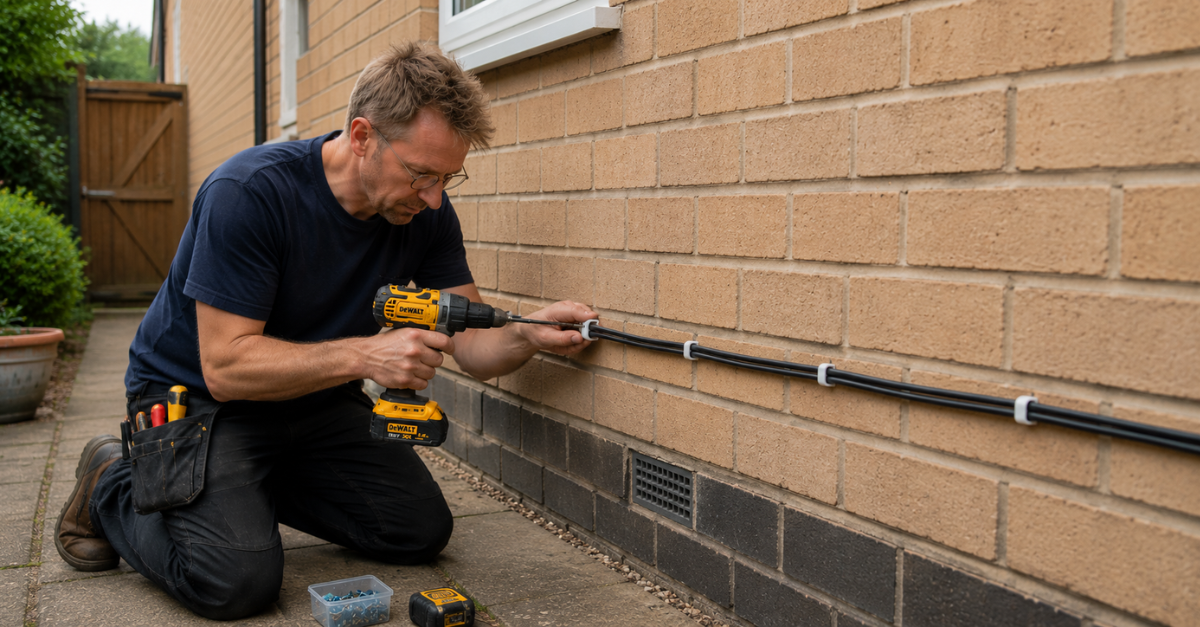
Rather than trying to route cables internally, we ran external-grade CAT6 around the outside of the house, following the path of an old telephone cable before bringing it back inside where it was needed. Three cables now leave what I affectionately refer to as “the datacentre” – an IKEA wall cabinet in the garage.
One link feeds the Man Cave, another terminates in the dining room where an old coaxial TV socket once lived, and a third is simply spare. Knowing me, it probably won’t stay that way for long.
Then, this week I finished the job by replacing the last of my ageing unmanaged Netgear switches with UniFi switches. The UCG now connects to a UniFi USW Lite PoE switch, which powers the U6+ access point in the hallway as well as providing wired connectivity to the rest of the house. A USW Flex Mini switch lives in the Man Cave alongside the backup NAS, while the remaining UX units now do what they were always meant to do: provide wireless coverage in the more awkward corners of the property, rather than trying to compensate for a weak backbone.
Finally, a network that makes sense
For the first time since I started this journey, the network architecture actually makes sense.
The house now has a gigabit wired backbone between the key locations, with Wi-Fi used where it adds value rather than where it has to compensate for missing infrastructure. There are still a couple of Powerline links serving the loft, but they’re now the exception rather than the rule. And the U6+ AP in my office is powered with a PoE injector and connected over a mesh to its peer in the hall, but that seems to work well - even if it is technically inferior to a wired connection.
The difference is immediately noticeable. Roaming between access points is smoother, latency is lower and large file transfers are finally limited by the broadband connection rather than by the network inside the house.
I’ve also added a UniFi Travel Router, which deserves a post of its own. It uses the UniFi Teleport VPN, which allows me to connect to public Wi-Fi while securely tunnelling back to my own network. That means I can browse through my own internet connection, access private resources safely and avoid relying on whatever security the hotel or café happens to provide.
The journey
The network didn’t change overnight. Looking back, each upgrade solved one problem. Unfortunately, I fell into the trap where we often optimise the thing we can see instead of fixing the thing that matters.
2009: House extension
❌ Didn't install Ethernet on ground and 1st floors.

2018: Loft conversion
➡️ Installed AmpliFi HD
❌ Missed additional Ethernet cabling opportunity for 2nd floor

~2023: Move to UniFi
➡️ Replaced Amplifi HD with 4x UniFi Express
➡️ Replaced Powerline Ethernet adapters for "up to 1Gbps"

~2024: Fibre broadband, more capable routing
➡️ Upgraded WAN from FTTC to FTTP
➡️ Replaced 1x UniFi Express with UniFi Cloud Gateway Ultra

~2025: Improved Wi-Fi
➡️ Installed 2x U6+ access points, turned off 5Ghz radio on 2x UniFi Express to direct modern devices to more capable APs

2026: Fixed the foundations
➡️ Upgraded WAN link from 100 to 150Mbps down (18Mbps up)
➡️ CAT6 installed = wired backbone at 1Gbps (10Gbps capable)
➡️ UniFi switches
✅ Network finally behaves
The evolution of my home network in recent years.
Foundations first
It’s taken several years, more money than I’d originally intended to spend, and 100m CAT6 cable to get here (and I should have bought more).
The irony isn’t lost on me. I spent years buying smarter networking equipment, tweaking configurations and chasing new features, only to discover that the biggest improvement came from putting the right foundations in place.
There’s a wider lesson too, because, in technology, we often assume the answer is another appliance, another feature or another layer of software. Sometimes the real answer is to fix the infrastructure underneath.
That’s true in my home network. It’s just as true in the organisations I work with every day. In my case, it turned out to be couple of lengths of CAT6 cable.
My sons haven’t been home to comment on the Wi-Fi yet. We’ll see what they think next time - or whether they still say “You should have kept the AmpliFi, Dad”.
Current network
| Device | Purpose |
|---|---|
| Vodafone router | Modem only: Wi-Fi disabled |
| UniFi Cloud Gateway (UCG) Ultra | Router and UniFi controller |
| UniFi Lite PoE | Core switch |
| 2 × UniFi U6+ | Primary wireless access points (guest and private SSIDs) |
| 3 × UniFi Express (UX) | Additional access points (private SSID only) |
| UniFi Flex Mini | Man Cave switch |
| UniFi Travel Router | Secure travel networking |
Still on the list
- Replace the remaining Powerline Ethernet links by running another CAT6 cable into the loft.
- Use the spare external CAT6 run (potentially for more CCTV or maybe the loft connection).
Future-proofing
- CAT6 (rather than 5E) means I can upgrade the wired backbone to 2.5Gbps or even 10Gbps one day.