Bring your own network
Most of us have heard of bring your own device. We expect our laptops, phones and tablets to work wherever we are.
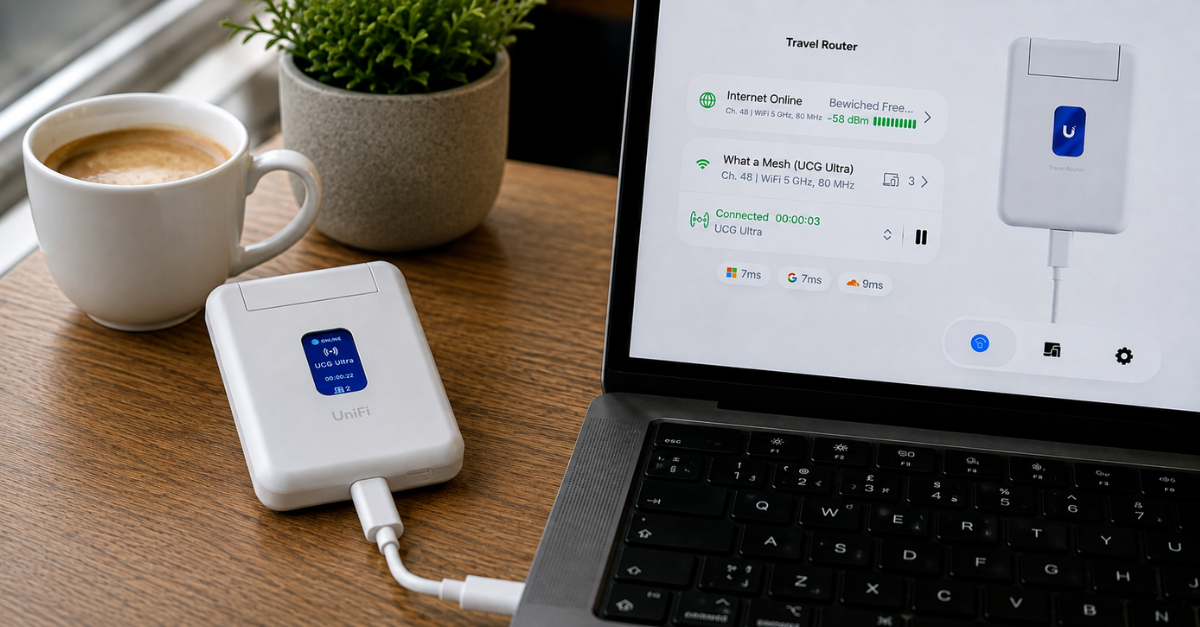
But what if, instead of trusting somebody else’s network, you could simply take your own with you? That was the idea behind one of my more recent impulse purchases: the UniFi Travel Router (UTR).
It doesn’t look particularly special. It’s a small white box that slips easily into a laptop bag. It isn’t even self-powered, so you’ll need a USB-C cable and a power source. That feels like an odd omission for something designed for travel.
After using it on a few trips, though, I realised it wasn’t really a travel router. It was a way to carry my home network with me—making public Wi-Fi safer, simpler and, in some cases, almost invisible.
It’s now one of the gadgets that lives permanently in my laptop bag.
The problem with public Wi-Fi
Whether you’re in a hotel, airport lounge, coffee shop, conference venue or on a train, public Wi-Fi is often the easiest way to get online.
Modern websites encrypt almost everything using HTTPS, so this isn’t as risky as it once was. Even so, you’re still placing your trust in someone else’s network. You don’t know how it has been configured, who else is connected, or whether there’s a convincing rogue hotspot using a similar name.
I’d rather not have to think about any of that. Instead, I’d rather treat every unfamiliar network as simply a way of reaching one that I already trust.
One network, everywhere
Here’s how it works:
- Instead of connecting each of your devices directly to the local Wi-Fi, you connect the travel router.
- Using the UniFi app on your phone, you tell the travel router which local Wi-Fi network to join. If there’s a captive portal, such as the familiar hotel “accept our terms” page, you complete that authentication once from your phone.
- The router then establishes a secure UniFi Teleport VPN connection back to your home network. From that point on, every device connected to the router behaves as though it’s sitting in your house.
Your traffic is encrypted between the travel router and your home, so, in effect, you’ve taken your home network with you.
One login, all your devices
Many guest Wi-Fi networks require you to authenticate each device individually through a captive portal. Some even limit the number of devices you can connect.
With the travel router, I authenticate once using my phone. After that, every other device simply connects to my own Wi-Fi network, exactly as it does at home.
My laptop, phone and tablet don’t know they’re connected to a guest network. As far as they’re concerned, they’re connected to the same network they always use.
To the venue, it looks like a single connected device. Behind the travel router, I can connect as many of my own devices as I like.
More than just security
I bought the travel router because I liked the idea of taking a trusted network with me. And, if I’m honest, because I’m a bit of a geek.
In practice, convenience has become the bigger benefit.
Everything behaves exactly as it does at home. My devices reconnect automatically, local services continue to work, and I don’t spend the first ten minutes in every hotel room joining Wi-Fi networks and accepting terms and conditions.
Websites should also see my home IP address rather than the IP address of the network I’m connected to. Although I haven’t travelled abroad with the UTR yet to test this, services that are normally only available in the UK should continue to work without needing a separate VPN subscription.
I’m simply using my own internet connection, wherever I happen to be.
It’s not perfect
The lack of an internal battery means you need to remember a USB-C power source. In practice, I’ve just plugged mine into the same charger that powers my phone overnight, but it would have been nice to have an hour or two of battery life for situations like trains or airport lounges.
It also assumes you already have a UniFi gateway at home capable of running Teleport. I do, but if you don’t, this probably isn’t the travel router for you.
Bringing your own network
I’ve written before that the best technology quietly disappears into the background.
The UniFi Travel Router does exactly that.
Every time I travel, it removes a little friction. I authenticate to guest Wi-Fi once, my devices reconnect automatically, and I know my traffic is heading back through a network that I already know and trust.
I can’t see myself travelling without it now.